
Platform
Your patients, your doctors,
your organisation.
Drug-PIN is built for a whole organisation. This page covers how a patient is set up, who in your organisation can see them, how your own administrator manages the doctors, and what the service runs on.
Setting up a patient
Four steps, and the score is waiting.
There is nothing to configure and nothing to learn first. A doctor who has seen the application once can set up a patient without being shown again.
Create the patient
One field. You choose the pseudonym: initials and a year of birth, a ward code, whatever your organisation already uses. That is the entire form.
Fill in the record
Demographics, lifestyle, laboratory values, diagnoses and genetics, each on its own tab. Labelled fields, sensible defaults, and every change saves as you type.
Add the medication plan
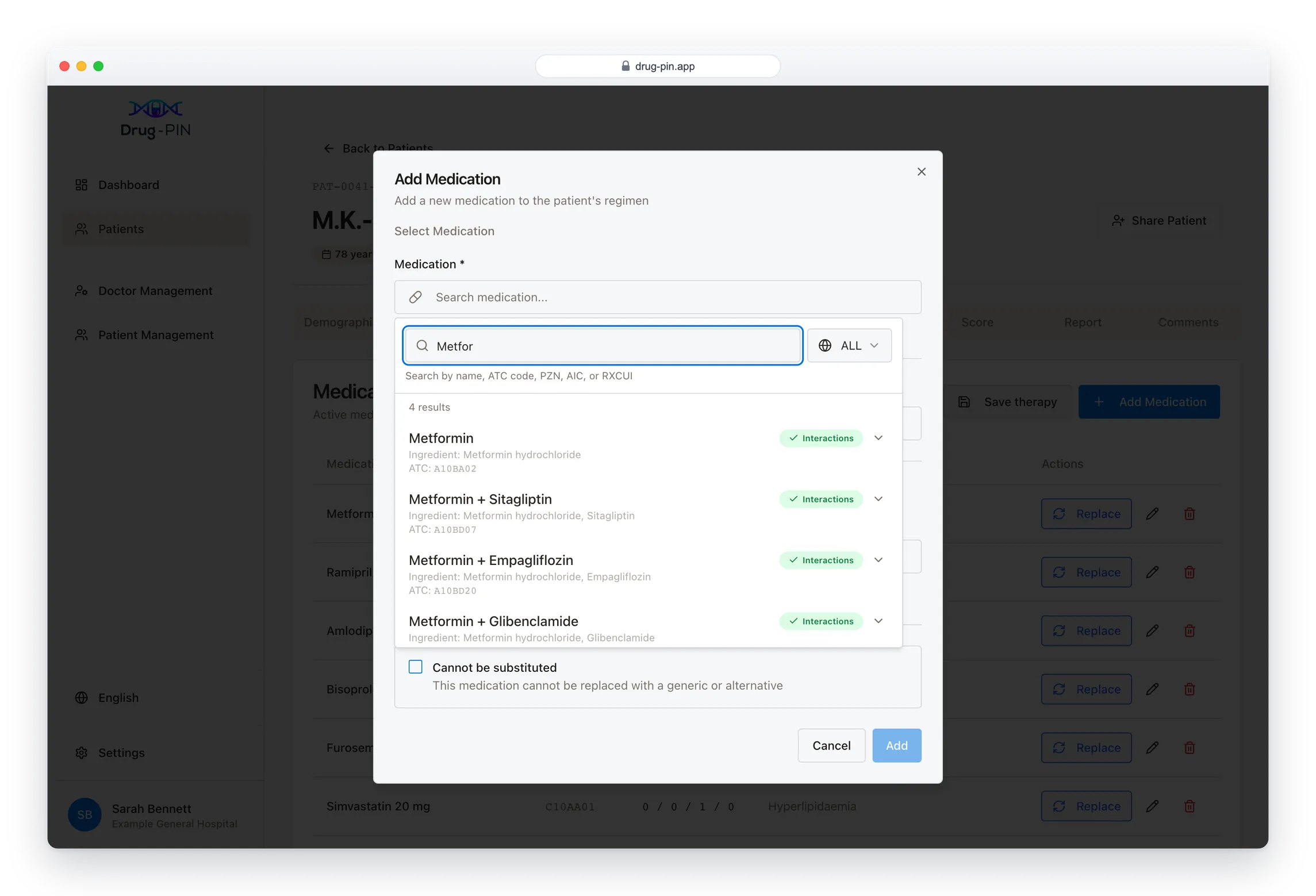
Search the catalogue by name, active ingredient or product code, pick the product, then set the daily dose across morning, noon, evening and night.
Score, then adjust
Nothing to submit and no button to press. The score is already there when the tab opens. For any drug in the plan you can see the alternatives and what each one would do to the score, then try a swap before committing to it.
Medications, from a real catalogue
Every drug comes from the reference catalogue, so the plan that gets scored is unambiguous: the right product, the right ingredient, the right strength. Search by brand name, by active ingredient, or by the national product code your pharmacy already quotes.
Each entry takes a daily dose and, where it matters, an indication and a note that the drug cannot be substituted.
The score follows the plan
Add a drug, change a dose, correct a laboratory value: the score reflects the plan as it now stands. Nothing has to be recalculated by hand, and nothing has to be re-entered to see what a change would do.
Drug-PIN supports clinical judgement. It does not replace it, and it does not prescribe.
Access
Who can see a patient.
A patient belongs to the doctor who created them, and sharing is theirs to grant. Three levels, given to any colleague in your organisation, changed or withdrawn at any time.
- Owner
- Full access, and the right to share. Whoever creates a patient is the owner from that moment. A patient always has at least one, and the last one cannot be removed by accident.
- Editor
- Can open the record and work in it: medications, laboratory values, diagnoses, genetics, and the reports that come out of them. Has no control over who else has access.
- Viewer
- Can open the record and read it, including the score and every conflict behind it. Nothing can be altered, which suits a second opinion or a colleague covering a round.
The owner grants access directly. A consultant handing a patient to a registrar shares it in the moment, at the level they intend, and takes it back the same way.
Your organisation
Doctors, managed by your own administrator.
Someone in your organisation holds the administrator account. Adding a colleague, correcting a name or withdrawing access takes them a few seconds in the application, with no support ticket to us.
One organisation covers as many departments as you need. Each doctor’s department is recorded on their account, so a single roster can span cardiology, oncology and geriatrics without splitting the organisation in two.
Create an account
Email address, name, department. The new doctor receives an email and sets their own password, so no password is ever chosen for them, sent to them, or known by anyone else.
Keep the roster current
Names, addresses and departments stay editable. If someone is locked out, the administrator sends a password-reset email without involving us.
The roster shows who is active at a glance, alongside the totals for the organisation.
Withdraw access immediately
Deactivating a doctor ends their access at once. Their work stays where it is: the records they built, the reports they issued. A patient record should survive the end of a rotation.
See the whole organisation
The administrator sees every patient in the organisation with the doctors who hold access to each one, and can reassign an owner.
When a colleague leaves at the end of a rotation, their patients stay reachable.
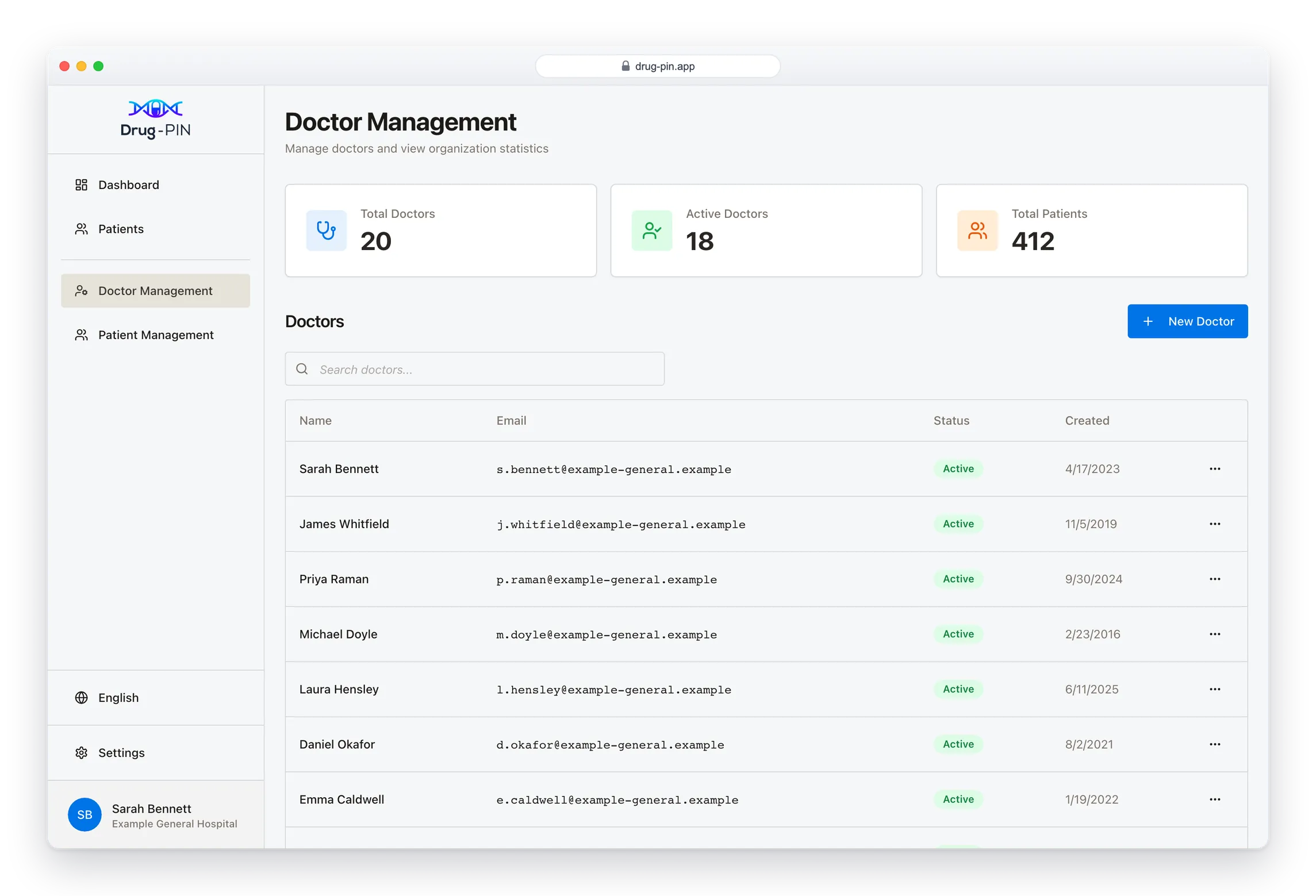
The administration screens belong to the administrator account. A doctor signing in sees their own patients and the ones shared with them, with no roster and no organisation-wide patient list.
Security
Six things a security review will ask about.
Drug-PIN runs as containerised services on managed cloud infrastructure defined in code, with automated deployments. Patching is quick and configuration is reproducible.
Separated by organisation
One organisation’s records are not reachable from another’s session. The platform itself enforces the separation.
Pseudonymised by design
Patients carry a generated number in place of a name. Diagnoses, medications, laboratory values and genetics hang off that number.
A real name enters the system only where a doctor chooses to place one on a report, and that field is optional.
Encrypted at rest
Database storage, secrets and logs are encrypted under a per-environment managed key, with rotation enabled.
Modern authentication
OpenID Connect with short-lived tokens and an enforced password policy, using the authorisation code flow with PKCE. No secret is held in the browser.
Backups and recovery
Automated database backups with 30-day retention, a final snapshot on deletion, and deletion protection enabled.
ISO/IEC 27001
Our information security management system is certified to ISO/IEC 27001, the international standard covering how security is governed, reviewed and improved as well as how it is configured.
Deployment
Two ways to run it.
Most organisations take the hosted service. Where data must not leave the building, the same application can run on your own infrastructure.
Hosted by us, in Germany
A managed service. Patient data is not processed outside Germany, and you get updates without a maintenance window of your own.
This is what a trial runs on, and what most organisations stay on.
Self-hosted, on your infrastructure
The application can run inside a hospital network, reachable only over your VPN, with the database under your administration. Nothing then leaves your perimeter.
Self-hosting is a scoped installation project, arranged case by case. If it is a requirement, raise it early and we will scope it with your IT department.
Set up your first patient.
A trial runs on the hosted service, so there is nothing for you to install. We will create your organisation and your administrator account, and you can add your doctors yourself.
Request trial access